
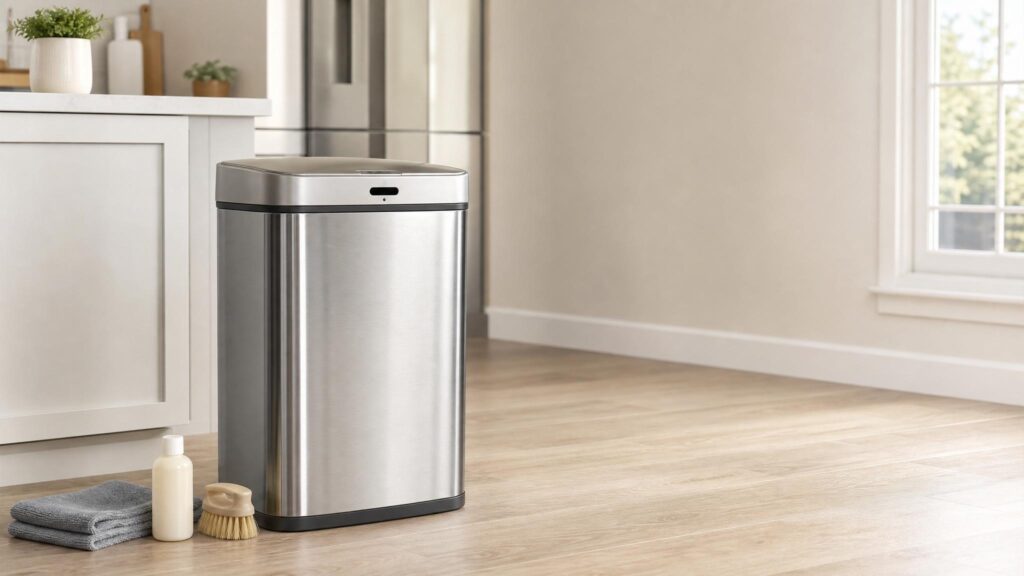
Learning how to clean a motion sensor trash can is different from cleaning a basic plastic bin. The inside of the can still needs normal odor control, but the lid, sensor window, motor area, and battery compartment need a lighter touch. Too much water in the wrong place can turn a simple cleaning job into a broken lid.
The safest approach is to clean the removable bucket or inner liner like a normal trash can, then clean the electronic lid separately with a microfiber cloth. Do not spray cleaner directly on the sensor, do not soak the lid, and do not rinse the electronic parts under running water.
| Part | How to clean it | What to avoid |
|---|---|---|
| Inner bucket | Soap, warm water, rinse, dry fully | Putting it back while damp |
| Sensor window | Dry or barely damp microfiber cloth | Spraying cleaner directly on it |
| Lid exterior | Lightly damp cloth, then dry cloth | Soaking seams or buttons |
| Battery area | Dry cloth only | Water, vinegar, sprays |
| Rim and hinge area | Cotton swab or cloth for stuck grime | Forcing the lid mechanism |
Before You Start
Power the trash can down before cleaning. If it uses batteries, remove them. If it plugs into an outlet, unplug it. This prevents the lid from opening while you clean and reduces the chance of moisture reaching powered electronics.
Also remove the trash bag and take out the inner bucket if your model has one. Many motion sensor cans have a removable plastic liner inside a stainless steel outer shell. Clean that liner separately instead of trying to wash the entire can as one piece.
What You Need
- Microfiber cloths
- Mild dish soap
- Warm water
- Soft sponge or non-abrasive brush
- Cotton swabs for seams and sensor edges
- Baking soda for odor spots
- Optional: diluted white vinegar for non-electronic surfaces
Avoid abrasive pads, strong solvents, bleach mixtures, and soaking wet cloths near the lid. If the manufacturer gives specific cleaning instructions, follow those first.
Step-by-Step: How to Clean a Motion Sensor Trash Can
1. Remove power and empty the can
Turn off the can, remove the batteries or unplug it, and take out the trash bag. If there is a retaining ring, liner rim, or removable bucket, remove it carefully and set the electronic lid aside.
Check for leaked liquid at the bottom. If the bag leaked, the odor may be coming from dried residue rather than the current trash.
2. Wash the inner bucket
Clean the removable bucket with warm water, mild dish soap, and a sponge or soft brush. Scrub the bottom, corners, and rim. These are the areas where food liquid and grime usually collect.
If there is a strong smell, sprinkle baking soda on damp odor spots and let it sit for 10 to 15 minutes before scrubbing. Rinse the bucket well and dry it completely before reassembling the can.
3. Wipe the outer body
Use a lightly damp microfiber cloth to wipe the outside of the trash can. For stainless steel, wipe with the grain if possible, then dry with a clean cloth to reduce streaks and water spots.
Do not pour water over the outside of the can if the lid or body contains electronic controls. Keep moisture away from buttons, seams, display areas, charging ports, and battery covers.
4. Clean the sensor window gently
The sensor window is usually a small dark or clear panel on the lid. Dust, fingerprints, food residue, and grease can make it less responsive. Wipe it with a dry microfiber cloth first.
If it still looks dirty, use a barely damp cloth and wipe gently. Then dry it immediately. Do not spray cleaner directly onto the sensor window because liquid can run into the housing.
5. Clean the lid, rim, and hinge area
The lid area often holds odor because it sits close to the bag opening. Wipe the underside of the lid, the rim where the bag folds over, and any grooves where residue can hide. A cotton swab helps with tight seams.
Do not force the lid open farther than it naturally goes. Motion sensor lids can include small motors, gears, or soft-close parts. Forcing the mechanism can damage alignment.
6. Dry everything before reassembly
Dry the bucket, rim, lid, and outer body with a clean cloth. Then let the parts air dry for a while before replacing batteries or plugging the can back in.
This step matters. A motion sensor trash can can look clean but still fail later if moisture remains near the battery compartment, motor housing, or lid seams.
How to Deodorize a Motion Sensor Trash Can
Odor control works best after cleaning. If the can still smells, check the bottom of the bucket, underside of the lid, bag rim, and hinge area. These spots often hold residue even when the bag has been changed.
For routine odor control, use a small baking soda pouch under the liner. Keep it away from the sensor, hinge, and battery compartment. You can make one using the guide to DIY trash can deodorizer.
Avoid spraying fragrance inside the lid. Fragrance can leave residue, and sprays near electronics are risky. A clean, dry can plus a simple odor absorber is usually better.
How Often Should You Clean It?
For most kitchens, clean the removable bucket once a month and wipe the lid/rim weekly. If you throw away food scraps, meat packaging, diapers, or pet waste, clean it more often.
| Task | Frequency |
|---|---|
| Wipe sensor window | Every 1 to 2 weeks |
| Wipe lid and rim | Weekly |
| Wash inner bucket | Monthly |
| Check battery compartment | Monthly |
| Deep clean after leaks | Immediately |
If heat is making odor worse, use the routine in summer trash can smells alongside your normal cleaning schedule.
Common Mistakes to Avoid
- Spraying cleaner directly on the sensor: Spray the cloth, not the lid.
- Rinsing the electronic lid: The removable bucket can be washed; the electronic lid should be wiped.
- Putting parts back damp: Moisture can cause odor and may affect electronics.
- Ignoring the underside of the lid: This area traps food smell.
- Using abrasive pads: They can scratch plastic windows and stainless steel surfaces.
- Forgetting batteries: Check for corrosion and replace weak batteries when needed.
Troubleshooting After Cleaning
The lid does not open reliably
Make sure the sensor window is dry and clean. Replace weak batteries, check that the battery contacts are dry, and confirm nothing is blocking the sensor. If the can has a power switch, turn it off and back on after everything dries.
The lid opens by itself
Move the can away from reflective surfaces, direct sunlight, pets, or busy walkways. Some sensor lids trigger when movement passes too close. Wipe the sensor window and check that no residue is confusing the sensor.
The can still smells clean but sour
Look for hidden moisture. Check the bottom of the liner, the underside of the lid, the rim, and the area where the bag folds over the edge. If odor remains after washing, use the broader guide on how to clean a trash can.
If cleaning keeps turning into troubleshooting, compare the lid type before replacing the can. A sensor can may feel cleaner, but a step can can be simpler and more reliable. Use touchless vs step trash can if you are deciding whether to stay touchless or switch back to a pedal lid.
When Cleaning Will Not Fix the Problem
Cleaning helps with odor, grime, and sensor buildup, but it will not fix every problem. If the lid motor grinds, the hinge is cracked, the battery contacts are badly corroded, or the lid no longer responds after fresh batteries and drying time, the issue may be mechanical or electrical.
In that case, check the manual before taking the lid apart. Many automatic trash can lids are not designed for deep internal repair. If the can is still under warranty, avoid opening sealed electronic parts because that may void coverage.
If you are comparing whether an automatic can is worth the maintenance, read motion sensor vs step-on trash can before replacing it with the same style.
FAQ
Can you wash a motion sensor trash can with a hose?
You can wash the removable bucket with water if it has no electronics, but do not hose down the electronic lid or any part with sensors, buttons, battery compartments, charging ports, or motors.
Can vinegar damage a motion sensor trash can?
Diluted vinegar can be used on some non-electronic surfaces, but avoid spraying it near the sensor, battery area, or motor housing. For electronics-adjacent areas, a barely damp microfiber cloth is safer.
Why does my motion sensor trash can smell even when empty?
Odor may be stuck under the lid, around the rim, in the bottom of the liner, or near the hinge area. Empty does not always mean clean. Wash the bucket, wipe the lid and rim, and dry everything fully.
How do you clean the sensor on an automatic trash can?
Wipe the sensor window gently with a dry microfiber cloth. If needed, use a barely damp cloth and dry it immediately. Never spray cleaner directly onto the sensor.
Should you remove batteries before cleaning?
Yes. Removing batteries or unplugging the can is a smart safety step before cleaning. It prevents accidental lid movement and protects the electronics from powered moisture exposure.
Bottom Line
To clean a motion sensor trash can safely, separate the job into two parts: wash the removable bucket like a normal trash can, and wipe the electronic lid carefully with a microfiber cloth. Keep water away from the sensor, battery area, buttons, and motor housing. Clean the odor zones, dry everything fully, and the can should stay fresher and more reliable.